Every month, the WIP schedule lands on your desk the same way: export the Procore financials, email every project manager for their cost-to-complete, chase the two who didn't answer, rebuild the spreadsheet by hand, reconcile it, and reformat it for the bonding agent. By the time it's out the door, two or three days of your close are gone. The monthly WIP close process is the most time-consuming job in construction finance, and it eats the same days every month.
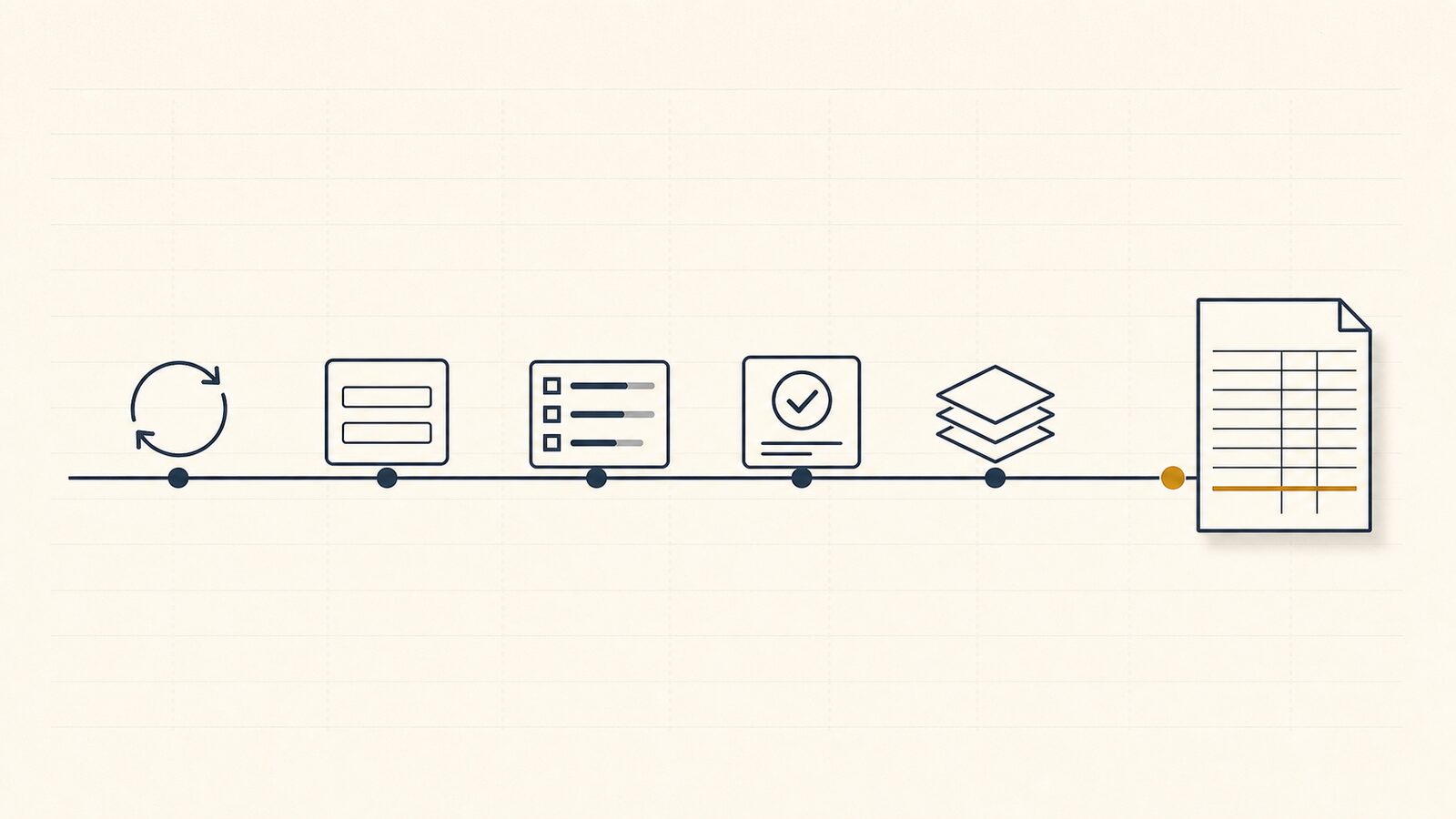
It doesn't have to. WIP Ready was built to compress that close to roughly 45 minutes of active work, not by working faster but by replacing the email-and-Excel scramble with a six-step workflow. This post walks all six steps as they run for a fictional general contractor — Meridian Construction Group — so you can see exactly where the minutes go. "45 minutes, not 3 days" is our own product claim. Here is the workflow that makes it true.
What does a monthly WIP close actually involve?
A monthly WIP close pulls current-period cost and billing data from Procore, collects a cost-to-complete estimate from each project manager, computes percentage-of-completion and earned revenue under ASC 606, surfaces each job's over/under billing position, and produces the formatted WIP schedule your bonding agent, bank, and CPA expect. The objective data (contract values, costs to date, billings) already lives in your system. The one number that doesn't is the PM's judgment of what it will cost to finish each job.
That split is why the close is hard. The objective data sits in Procore, but the estimate to complete (ETC) has to be collected from every PM each cycle and reconciled by finance. The math underneath is the percentage-of-completion method on a cost-to-cost basis: under FASB ASC 606, a contractor measures progress as costs incurred to date divided by total estimated costs, then recognizes that share of contract value as earned revenue, the AICPA-CIMA cost-to-cost input method that is standard for long-term construction contracts.
Under ASC 606's cost-to-cost method, earned revenue is (costs incurred to date ÷ estimated cost at completion) × contract value — a calculation that is only as good as the cost-to-complete number behind it. (FASB ASC 606)
So the close is a data-collection problem wrapped around an accounting formula. WIP Ready handles the collection, the formula, and the formatting; the PM owns the one judgment number. The six steps below are that workflow, start to finish. If you want the long-form definition of the WIP schedule format surety underwriters and banks expect, start there.
How does finance kick off the close? (Step 1 — Initiate)
Finance kicks off the close by starting a new cycle in WIP Ready. WIP Ready pulls the latest budget, actual cost, contract value, and billing data from Procore for every active project, and sends each project manager an ETC request in one action. Finance does not re-key anything out of Procore: the pull is automatic, and it is read-only.
In the cycle form, the Controller sets the reporting period and a submission deadline, confirms the six active Meridian projects and their PMs, and clicks Create cycle & send requests. One action sets the month in motion: WIP Ready reads the current Procore financials and fires an ETC request to each of the six PMs at once. One detail matters at scale: re-sending never creates duplicate submissions.
This is also the step that answers the question Procore's own community keeps asking: how to create a WIP schedule from Procore when Procore alone can't produce a bonding-ready one. WIP Ready is a Procore Marketplace embedded application, not a Procore feature: it reads Procore data and operates in its own interface. That boundary is deliberate.
WIP Ready reads from Procore and never writes back: it is a reporting layer, not an accounting system. Every figure it sources carries the timestamp of the last sync, so finance always knows how current the underlying data is before generating a WIP.
How do project managers submit their cost-to-complete? (Step 2 — ETC Collection)
Each project manager gets a unique link (no Procore login required) that shows their job's current cost context and asks for one number: the cost-to-complete. The PM can add a short note, then submit. The whole task takes under two minutes per project, which is the point: a quick check-in beats a buried email thread.
Take the no-login submission form for Metro Transit Garage. The PM sees the live Procore cost context for the job (contract value $7,300,000, costs to date $5,980,000, billed to date $6,500,000, original budget $6,720,000) and a sync timestamp: "Data as of Feb 09, 2026 09:14 AM." The PM and finance both know whether they're looking at this morning's data or last week's. The PM enters a $740,000 cost-to-complete and a note: "Includes $30K contingency for final punch list items — slab finishing sub still in progress." That note is the paper trail finance and the surety will want later.
One precision point that matters for credibility: WIP Ready does not calculate the ETC. The PM who knows the job enters it; WIP Ready collects it, stamps it, and uses it later in the percentage-of-completion formula. That separation is what keeps the WIP defensible with an auditor.
WIP Ready never calculates or estimates the cost-to-complete. The PM owns that number; WIP Ready collects it with a name, a timestamp, and an optional note, and PMs submit in under two minutes from a link.
Two cross-references for this step. The PMs filling out this form rarely speak in finance terms, so send your PMs this guide: what cost-to-complete means and how to estimate it. And there's a separate deep dive on the accounting mechanics behind it: how ETC and EAC drive earned revenue.
How do you track who has and hasn't submitted? (Step 3 — Status Dashboard)
The cycle workspace shows every PM's status at a glance (Submitted, Accepted, Adjusted, or Pending) with a live progress bar and a one-click reminder for anyone who hasn't responded. Finance never has to maintain a side list of who's in and who's late. WIP Ready tracks it and sends automatic reminders at the deadline.
Mid-cycle at Meridian, five of six ETCs are in: Cedar Crest and Riverside submitted, Harbor Point and Westgate accepted, Lincoln HS adjusted, Metro Transit Garage still pending. The progress bar reads 5 of 6, 83% complete, updating live as PMs submit. Finance can hit Remind 1 pending to chase Metro Transit, or click Start review and begin working the submissions already in. The cycle log records every status change either way.
This is the step that quietly reclaims the most time.
The single biggest time sink in a manual WIP close is chasing project managers for their cost-to-complete numbers by email, a process that can run for days. WIP Ready replaces it with one dashboard and automatic reminders at a configurable deadline.
How does finance review and adjust ETCs? (Step 4 — Review and Flag)
Finance opens each submission, accepts it, modifies it, or flags it. Every change is logged with a reason, a name, and a timestamp. That logged adjustment is the audit trail the surety, bank, and CPA can inspect. It proves the ETC was reviewed and reconciled, not just accepted on faith.
Take the case every Controller knows: an unusually low ETC on a job that's known to be tight. Lincoln HS Renovation's PM, Priya Nair, submitted a $2,200,000 cost-to-complete with the note "Gym-slab rework running heavier than bid." Finance read that as too optimistic, called the PM, and adjusted to $2,440,000 to align with the latest mechanical sub quotes, recorded in the adjustment panel with the reason logged. The margin panel shows why it mattered: the effective ETC drives the EAC to $11,090,000, percent complete to 78%, and projected gross margin down to 1.0% — an eight-point fade from the 9.0% bid margin, now visible to finance before the schedule goes out rather than after the bonding agent finds it.
That audit trail is not a nice-to-have. Surety underwriters scrutinize the cost-to-complete number above almost anything else on a WIP, because "this is where problems hide. Project managers tend to be optimistic, and that optimism can mask cost overruns until it is too late." (Projul)
Every figure on a WIP schedule should trace to a source — a Procore field or a timestamped PM submission. An audit trail that shows the ETC was reviewed, adjusted, and reasoned, not simply accepted, is a material credibility signal to the surety, bank, and CPA (NASBP).
How do you generate the WIP schedule from Procore data? (Step 5 — Generate)
Once the ETCs are accepted, WIP Ready generates the WIP schedule: it applies the cost-to-cost formula to each accepted ETC to compute percentage-of-completion, earned revenue, over/under billing, projected margin, and backlog, then formats the result as the standard ASC 606 schedule with project totals and profit-fade flags. WIP Ready computes the schedule from the ETC the PM submitted (or finance adjusted). It does not invent the ETC.
The schedule carries the eleven ASC 606-aligned columns finance readers verify:
- Contract Value — original contract plus approved change orders
- Revised Contract Value — including pending change orders
- Costs Incurred to Date — from Procore budget/cost data
- Estimated Cost at Completion (EAC) — costs to date + ETC
- % Complete (cost-based) — costs incurred ÷ EAC
- Earned Revenue — contract value × % complete
- Billed to Date — from Procore billing/pay-app data
- Over / (Under) Billing — billed minus earned (positive = overbilled)
- Estimated Gross Profit — contract value − EAC
- Estimated Gross Margin % — gross profit ÷ contract value
- Backlog — contract value − earned revenue
On the generated schedule, the totals row is the line your underwriter reads first: $89,700,000 in contract value, 60.8% blended completion, $53,845,356 earned, a net ($45,356) under-billed position, 8.1% blended margin, and $35,854,644 of total backlog. Lincoln HS Renovation's 1.0% margin is flagged: the same profit fade caught at Step 4. The footer states the rule: every figure traces to a Procore field or a timestamped PM submission, and the snapshot is immutable.
The over/under billing column is the one your surety and CPA scrutinize hardest, because it's where timing distorts the financial picture.
Over-billed and under-billed positions are the most-scrutinized line on a WIP schedule: they reveal whether revenue is being recognized ahead of or behind the work, and underwriters discount underbillings that look uncollectible. See the deep dive on over/under billing in construction. (NASBP)
How do you export the WIP schedule for your bonding agent, bank, or CPA? (Step 6 — Export)
The finished schedule exports to Excel or PDF, mapped to the layout your bonding agent, bank, or CPA already uses. Excel stays the delivery format: WIP Ready generates the spreadsheet they expect; it doesn't ask them to learn a new one. Saved templates reorder, rename, and drop columns per surety or bank.
Clicking Export opens the export dialog over the schedule. The Excel template dropdown is set to "Travelers Surety — Standard WIP (11 cols)," and the dialog offers Export PDF and Export Excel. Pick the layout your surety expects, and WIP Ready maps the eleven ASC 606 columns to that exact format. The relationship with your bonding agent runs on the spreadsheet they already read. WIP Ready's job is to produce it accurately and on time, not to replace the channel.
This is the step that explains why Procore's native reporting can't produce a bonding-ready WIP schedule without extra tooling: Procore holds the cost and billing data, but it has no place to collect a structured ETC, no cost-to-cost computation, and no surety-template export. WIP Ready closes that last gap.
Bonding agents, banks, and CPAs each expect the WIP in a format they already use. WIP Ready exports to the bonding company's or bank's specific Excel template — the app fills the client's template; the export matches the column order and naming the surety recognizes (BMS Books).
What does the full WIP close cycle look like from kickoff to export?
The full cycle is six steps, and the 45 minutes lives in the workflow, not in anyone working faster. Here is where the active time goes across the close. The PMs do their two minutes each in parallel; finance's hands-on time is the initiate, review, generate, and export work.
| Step | What happens | Who acts | Active time |
|---|---|---|---|
| 1 — Initiate | Start the cycle; WIP Ready pulls current Procore financials and sends ETC requests to every PM | Finance | ~5 min |
| 2 — Collect ETC | Each PM opens a no-login link, enters cost-to-complete, adds a note, submits | Each PM | ~2 min per PM (parallel) |
| 3 — Track status | Watch Submitted / Pending live; one-click reminders fire at the deadline | Finance | ~2 min |
| 4 — Review & flag | Accept, adjust, or flag each ETC; every change logged with a reason | Finance | ~30 min (six projects) |
| 5 — Generate | WIP Ready computes the eleven ASC 606 columns, totals, and profit-fade flags | Finance (one click) | ~1 min |
| 6 — Export | Export Excel/PDF mapped to the surety's or bank's template | Finance | ~5 min |
Add it up — about 5 + 2 + 30 + 1 + 5 — and the finance team's active work lands at roughly 45 minutes, spread across the few days PMs take to respond, down from the 2–3 full days a manual close consumes. The review step carries most of it, which is the point: the time goes to judgment, not assembly. And the same structure that makes the close fast is what makes it hold up under scrutiny — it's a workflow with a source behind every figure, not a spreadsheet rebuilt from memory.
Frequently asked questions about the monthly WIP close process
How long does a monthly WIP close take with WIP Ready? WIP Ready was built to compress the monthly WIP close to roughly 45 minutes of active finance work, down from the 2–3 full days a manual close typically takes. The time is spread across the few days PMs take to respond, but the hands-on work (initiate, review, generate, export) is about 45 minutes total. The savings come from replacing the email-and-Excel scramble with a structured workflow, not from rushing.
Can Procore generate a WIP report natively? Procore holds the objective data a WIP needs (contract values, costs to date, billings) but has no built-in way to collect a structured cost-to-complete from each PM, no cost-to-cost percentage-of-completion computation, and no surety-template export. That is why Procore users on the company's own community forums ask how to build a WIP report and are told to build it themselves. WIP Ready is the Procore Marketplace embedded app that closes those gaps.
How do I collect cost-to-complete estimates from project managers? Send each PM a unique no-login link that shows their job's current Procore cost context and asks for one number. The PM enters the cost-to-complete, optionally adds a note explaining any contingency, and submits, all under two minutes per project. WIP Ready tracks who has and hasn't responded and sends automatic reminders at the deadline.
What happens if a project manager misses the WIP close deadline? WIP Ready sends automatic reminders to any PM who hasn't submitted by a configurable deadline, and finance can fire a one-click reminder at any time from the status dashboard. Finance also sees every project's status (Submitted, Accepted, Adjusted, or Pending) live, and can start reviewing the submissions already in while waiting on the stragglers. No PM falls through an email thread.
What format does a bonding agent expect for a WIP schedule? Bonding agents expect the standard percentage-of-completion WIP schedule — one row per active project, the ASC 606 columns (contract value, costs to date, EAC, % complete, earned revenue, billings, over/under billing, gross profit, margin, backlog), and summary totals — delivered in the bonding company's specific Excel layout. Column order and naming vary by surety. WIP Ready maps its computed fields to the template the surety already uses.
Does WIP Ready write data back to Procore? No. WIP Ready reads from Procore and never writes back: it is a reporting layer, not a project management tool. It pulls budget, cost, contract, and billing data, timestamps the sync, and operates entirely in its own interface. Your Procore data is never modified.
How is percentage-of-completion calculated in a WIP schedule? Under ASC 606's cost-to-cost method, percentage-of-completion equals costs incurred to date divided by the estimated cost at completion (costs to date plus the PM's cost-to-complete). Earned revenue is then that percentage multiplied by the contract value. WIP Ready applies this formula to the ETC the PM submitted or finance adjusted; it never estimates the ETC itself.
How WIP Ready helps
You just walked the full monthly cycle: initiate, collect, track, review, generate, export. The 45 minutes is simply what's left when the email thread, the manual export, and the hand-built spreadsheet are gone, and the only judgment call left in the loop is the one finance should be making anyway: reviewing each PM's cost-to-complete. Every number on the schedule you hand the surety traces back to a Procore field or a timestamped, reasoned PM submission. That's the audit trail that makes the document trustworthy and the close fast at the same time.
Run your own close from your next Procore cycle at wipready.com. It reads from Procore and never writes back — no migration, no new accounts for your PMs.